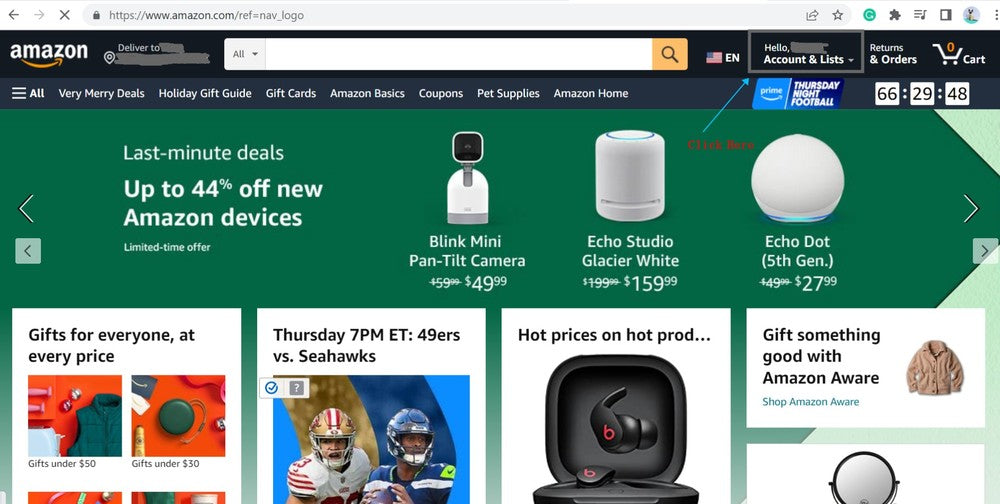
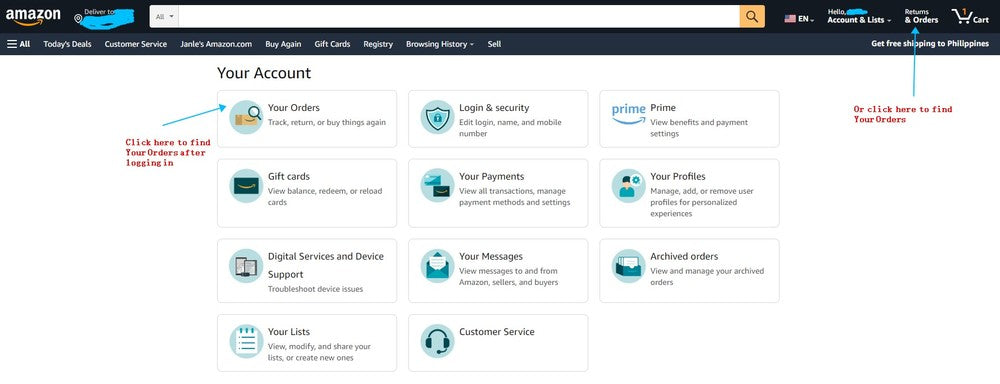
Log in to your Amazon account and click "Your Orders" on Account & Lists Page. You can also click "Returns and Orders" to directly go to your Orders page.
Order Help
Follow the steps below to find the Amazon Order ID for your RGBCord warranty registration. Please copy the full order ID exactly as it appears.
From Your PC
Log in to your Amazon account and click "Your Orders" on Account & Lists Page. You can also click "Returns and Orders" to directly go to your Orders page.
Click "Order details" on the right corner.
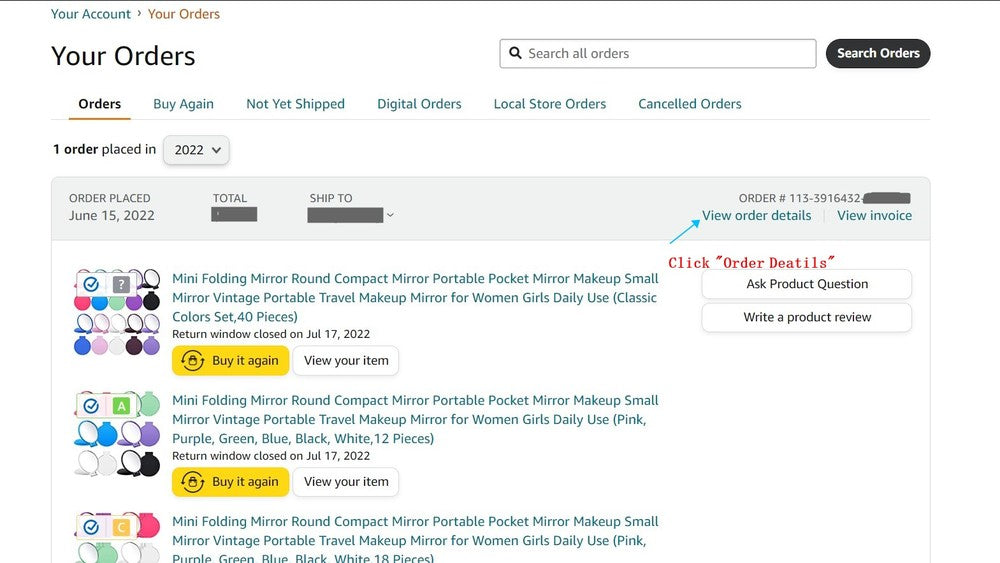
On "Order Details" page, you will see your order ID.
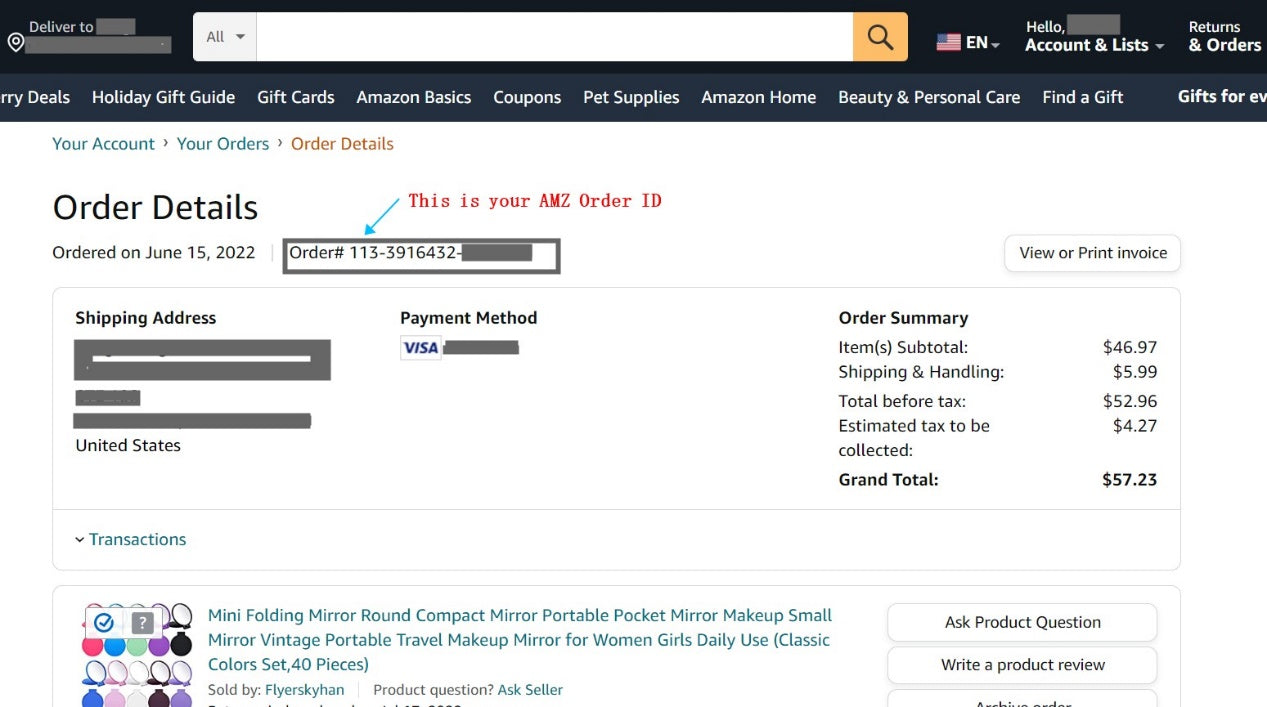
From Your Mobile Phone - Amazon App
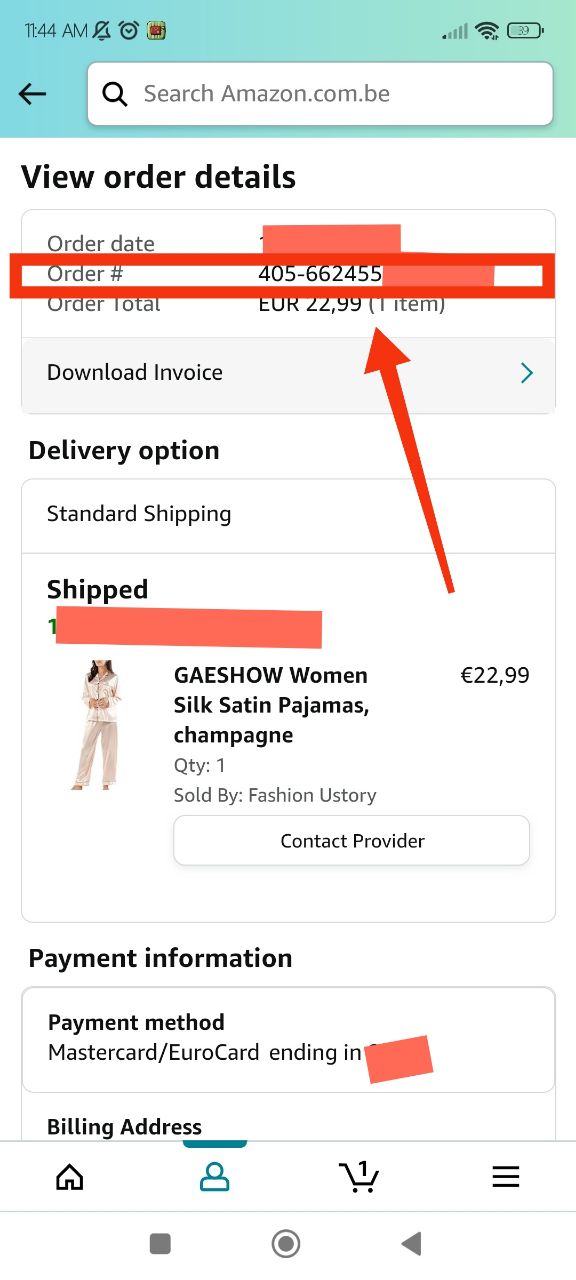
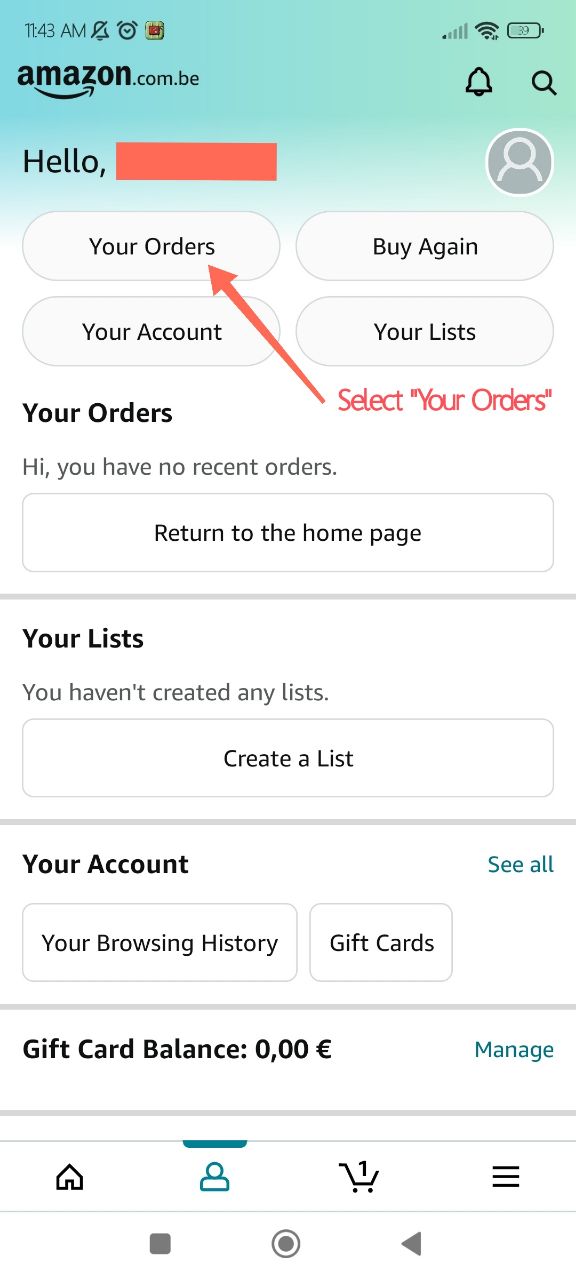
Access your Amazon account via your mobile phone. Navigate to the "Your Orders" section on the Account & Lists Page.
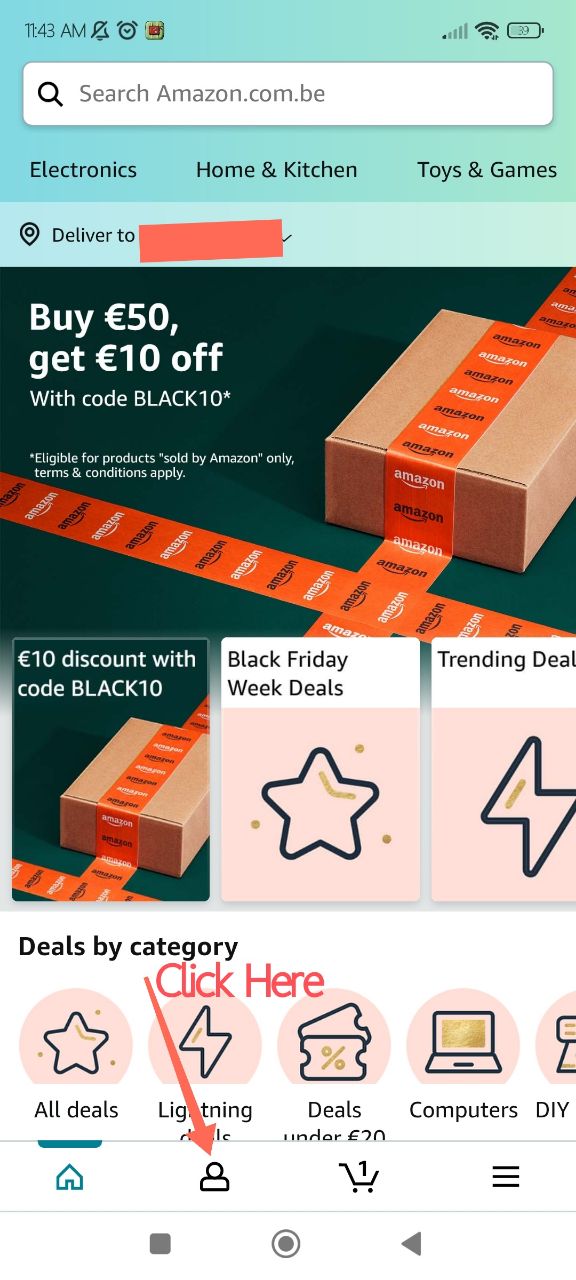
Select "Order details" located in the left side. Once you click on "Your Orders," you may need to filter your search to display all of your orders. Once the list is visible, select the specific item you would like to access.
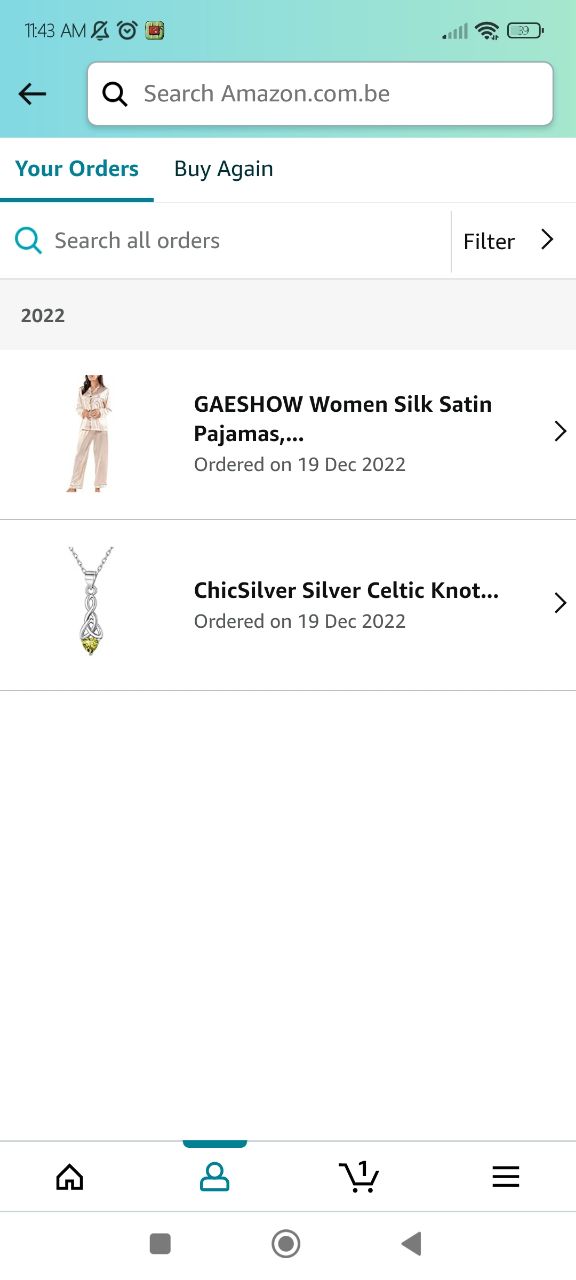
After choosing the specific order, scroll down until you see the Order info. Select the "View order details" tab.
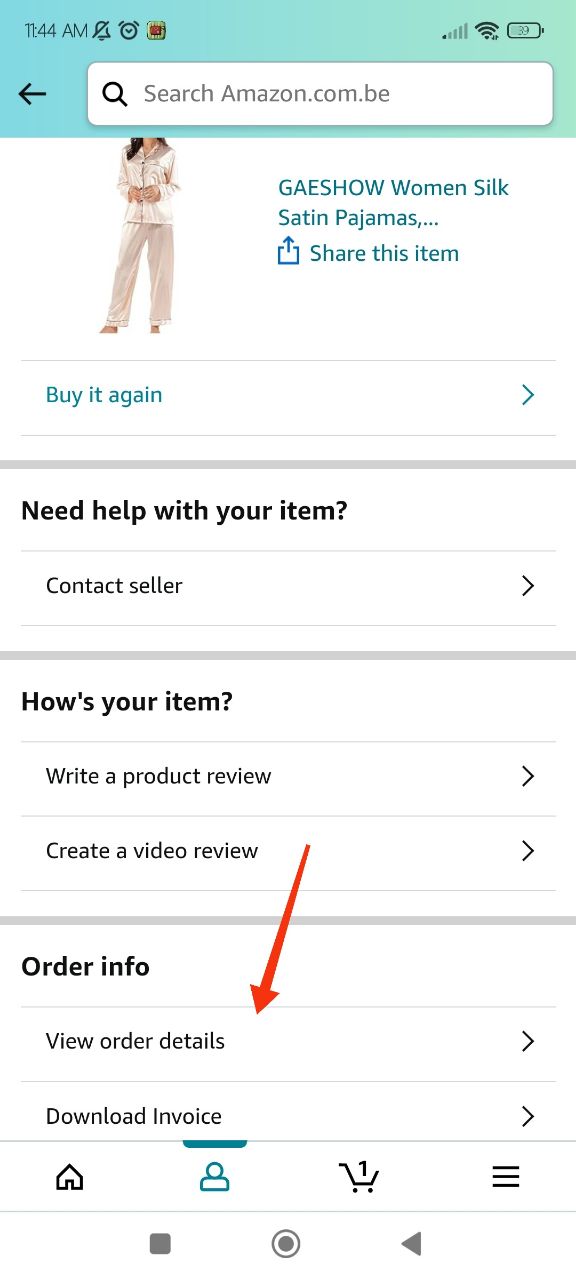
You'll find your Order ID under order details.